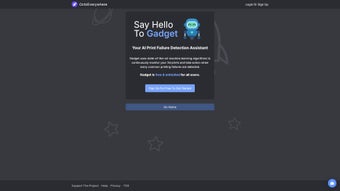

Download Octoeverywhere – AI‑Powered 3D Printing Failure Detection Tool
Overview
Octoeverywhere is a cloud‑based, AI‑driven monitoring service that adds a powerful safety net to every stage of the 3D printing workflow. By harnessing advanced computer‑vision models trained on thousands of real‑world prints, the platform continuously analyzes each frame of the live video feed coming from your printer’s webcam. When the algorithm detects a pattern that matches a known failure mode—such as spaghetti extrusion, layer shifting, under‑extrusion, warping, or adhesion loss—it instantly triggers a protective response.
This response can pause the print, send an alert, and log the event for later review. The service is built to sit directly on top of OctoPrint, the widely adopted open‑source printer host, which means users do not need any extra hardware beyond a standard USB webcam or Raspberry Pi camera. Octoeverywhere’s learning loop is one of its most compelling features: each time a user confirms a detection as correct or flags a false alarm, the feedback is fed back into the neural network, gradually improving accuracy for the entire community.
Whether you are a weekend hobbyist trying to perfect a miniature figurine or a small‑scale manufacturer producing functional prototypes, Octoeverywhere helps you avoid costly material waste, reduces the need for constant supervision, and gives you confidence that every print finishes as intended. The free tier already provides robust detection for up to three printers, while the premium subscription unlocks faster inference, an expanded defect library, and priority support. In an era where 3D printing is becoming a cornerstone of rapid product development, having an intelligent, always‑on monitoring system can be the difference between a successful prototype and a failed experiment.
Key Features & Installation Instructions
- Real‑time AI failure detection for spaghetti extrusion, layer shift, warping, under‑extrusion, and more.
- Automatic print pause on detection to save material and avoid ruined parts.
- Multi‑channel notifications: SMS, email, Telegram, Discord, and custom webhooks.
- Full‑frame video streaming with high refresh rates, directly embedded in OctoPrint.
- Continuous model improvement through user‑submitted feedback.
- Premium tier with faster detection, expanded defect library, and priority support.
- Cross‑platform web interface that works on any device with a modern browser.
- Secure, end‑to‑end encrypted communication between Octoeverywhere servers and your printer.
- Self‑hosted inference option for enterprises requiring on‑premise privacy.
- Detailed analytics dashboard showing failure trends, filament savings, and uptime statistics.
Installation & Usage Instructions
Getting Octoeverywhere up and running is intentionally straightforward. Follow the detailed steps below to integrate the service with your existing OctoPrint environment:
- Create an account: Navigate to Octoeverywhere.com, click “Sign Up”, and complete the email verification process. A confirmation link is sent instantly to your inbox.
- Generate an API token: After logging in, open the Dashboard → API Tokens section. Click “Create New Token”, assign a descriptive name (e.g., “Home‑Lab‑Pi”), and copy the generated token. This token authenticates your OctoPrint host with the cloud service.
- Install the Octoeverywhere plugin in OctoPrint:
- Launch the OctoPrint web UI on your Raspberry Pi or other host.
- Navigate to Settings → Plugin Manager → Get More….
- Search for “Octoeverywhere”, review the brief description, and click “Install”.
- Allow the plugin manager to restart OctoPrint once installation finishes.
- Configure the plugin:
- Return to Settings → Octoeverywhere in the OctoPrint UI.
- Paste the API token you copied earlier into the designated field.
- Select your preferred notification channels. For each channel, follow the on‑screen prompts to link your phone number (SMS), email address, Telegram bot token, or Discord webhook URL.
- Adjust the detection sensitivity slider. “Balanced” works for most users; “Aggressive” provides earlier warnings at the cost of occasional false positives.
- Start a print job: Begin any G‑code job as usual. The plugin automatically streams a low‑latency video feed to Octoeverywhere’s cloud endpoint, where the AI model evaluates each frame in real time.
- Respond to alerts: If a failure is detected, you will receive an instant notification via your chosen channels, and OctoPrint will pause the print. Review the alert, decide whether to resume, modify settings, or cancel the job.
- Provide feedback: In the Octoeverywhere dashboard, mark each detection as “Correct” or “False Alarm”. This feedback loop refines the model for future prints across the entire user base.
- Monitor analytics: The web dashboard offers charts that show total filament saved, average detection latency, and the most common failure types for each printer, helping you fine‑tune slicer settings and hardware.
Compatibility & System Requirements
Octoeverywhere is a cloud‑hosted service accessed through any modern web browser, which makes it inherently cross‑platform. The only locally installed component is the Octoeverywhere plugin for OctoPrint, and OctoPrint itself runs on a variety of Linux‑based single‑board computers and small servers. Below is a detailed breakdown of supported environments and recommended hardware specifications:
- Desktop Operating Systems: Windows 10/11 (Chrome, Edge, Firefox, or Safari), macOS 10.15+ (Catalina and later), and major Linux distributions such as Ubuntu 20.04+, Debian, Fedora, and openSUSE. The browser must support WebRTC for optimal video streaming.
- Mobile Operating Systems: Android 8.0+ and iOS 13+ devices can access the Octoeverywhere dashboard via Chrome, Firefox, or Safari. A dedicated native app is under development, but the responsive web UI works equally well on tablets and smartphones.
- OctoPrint Host Platforms: Raspberry Pi 4 (2 GB RAM or higher) running Raspberry Pi OS (32‑bit or 64‑bit) is the most common setup. Alternative hosts include ODROID‑C4, ASUS Tinker Board, or any x86_64 SBC running Ubuntu Server 20.04+ with Python 3.7+. The host must have at least 1 GB of RAM and a stable Ethernet or Wi‑Fi connection.
- Camera Requirements: A standard USB webcam (e.g., Logitech C270) or Raspberry Pi Camera Module V2 provides sufficient resolution (minimum 720p) and frame rate (15 fps). Higher resolution cameras (1080p) improve detection accuracy for fine‑grained defects.
- Network Bandwidth: Because video frames are streamed to the cloud for analysis, a minimum upload speed of 2 Mbps is recommended for smooth operation. Latency below 200 ms ensures the AI can pause the print quickly enough to prevent material waste.
- Security & Privacy: All communications use TLS 1.3 encryption. Video streams are retained for only 30 seconds on the server for analysis and are then automatically purged. Enterprise customers can request a self‑hosted inference engine, which runs the AI model on a private VM behind their firewall, eliminating any external data transmission.
- Hardware Limitations: Since the heavy AI processing occurs in the cloud, your local machine does not need a GPU. However, the host should have enough CPU capacity to handle the video capture and upload without dropping frames.
In practice, most hobbyists find a Raspberry Pi 4 paired with a 720p webcam and a wired Ethernet connection to be the sweet spot for reliability and cost. If you operate a larger printer farm, consider a dedicated mini‑PC with an Intel i5 processor, 8 GB RAM, and multiple USB cameras—Octoeverywhere scales seamlessly across dozens of printers under a single account.
Pros and Cons
Pros
- Instant AI‑driven failure detection reduces filament waste by up to 30 % on average.
- Automatic print pause prevents ruined parts and saves hours of re‑printing.
- Multi‑channel notifications (SMS, email, Telegram, Discord, webhooks) keep you informed wherever you are.
- Seamless integration with OctoPrint eliminates the need for extra hardware.
- Continuous model improvement through community feedback increases accuracy over time.
- Free tier provides essential protection for up to three printers, ideal for hobbyists.
- Premium subscription adds faster inference, an expanded defect library, and priority support.
- End‑to‑end TLS encryption safeguards video streams and user data.
- Responsive web dashboard offers analytics, filament‑saving reports, and trend insights.
- Self‑hosted inference option available for enterprises with strict privacy requirements.
Cons
- Requires a constant internet connection; offline monitoring is limited to local OctoPrint UI.
- Initial setup involves creating an account, generating an API token, and installing a plugin.
- Premium features are subscription‑based, which may be a barrier for very budget‑conscious users.
- Detection latency, though low, can occasionally miss ultra‑fast failures on high‑speed industrial printers.
- False positives may appear during rapid non‑printing travel moves, requiring occasional user correction.
- Video streaming consumes bandwidth; users on metered connections should monitor data usage.
- Reliance on cloud processing means occasional service outages could temporarily suspend detection.
FAQ & Conclusion
Does Octoeverywhere work with any 3D printer?
Octoeverywhere itself is printer‑agnostic because it runs on top of OctoPrint, which supports a wide range of firmware (Marlin, RepRap, Klipper, and many others). As long as your printer can be managed by OctoPrint, Octoeverywhere will monitor it.
Can I use Octoeverywhere without an internet connection?
The core AI analysis runs in the cloud, so an active internet connection is required for detection and notifications. You can still view the local OctoPrint UI offline, but failure detection will be disabled.
Is there a limit to how many printers I can monitor?
The free tier allows up to three active printers. Premium subscriptions raise the limit to twenty printers per account, which is ideal for small labs or makerspaces.
How secure is my video feed and data?
All communication between your OctoPrint host and Octoeverywhere servers is encrypted with TLS 1.3. Video streams are stored only temporarily for analysis and are automatically deleted after processing. Enterprise users can request a self‑hosted inference engine for on‑premise privacy.
What kind of notifications can I configure?
Octoeverywhere supports SMS, email, Telegram, Discord, and generic webhooks. You can enable multiple channels simultaneously, ensuring you never miss a critical alert.
Does the service impact print speed or quality?
Since video analysis happens in the cloud, there is no additional load on the printer’s controller or host CPU. The only impact is a minimal network latency, which is far outweighed by the benefit of early failure detection.
Conclusion & Call to Action
In a world where 3D printing is becoming increasingly integral to product development and rapid prototyping, having a reliable safety net is essential. Octoeverywhere delivers that safety net through AI‑powered, real‑time failure detection, automatic print pausing, and instant, multi‑platform alerts. Its seamless integration with OctoPrint means you can adopt the tool without overhauling your existing workflow, and the continuous learning loop ensures the system only gets smarter with use. Whether you’re a hobbyist looking to reduce filament waste or a small business seeking to maintain production quality, Octoeverywhere offers a cost‑effective solution that scales with your needs. Download Octoeverywhere today, install the plugin, and start printing with confidence.



.png)



